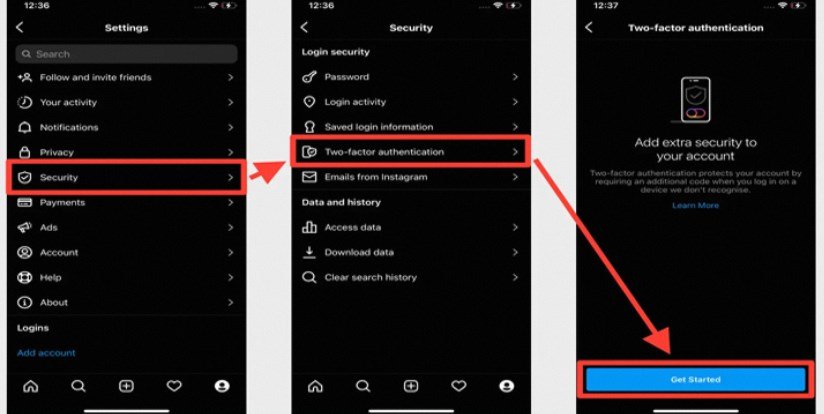
Securing your Instagram account with two-factor authentication (2FA) is an essential step in preventing unauthorized access. Here’s how you can enable it:
- Open Instagram and go to your profile. Tap on the three lines in the top right corner and select Settings.
- Navigate to Security, and tap on Two-Factor Authentication.
- Choose your preferred method:
- Authentication App (e.g., Duo Mobile or Google Authenticator) for added security.
- Text Message for a simpler option where a code is sent to your linked phone number.
- Follow the prompts to complete the setup.
Once enabled, Instagram will require an additional verification step every time you log in from an unrecognized device